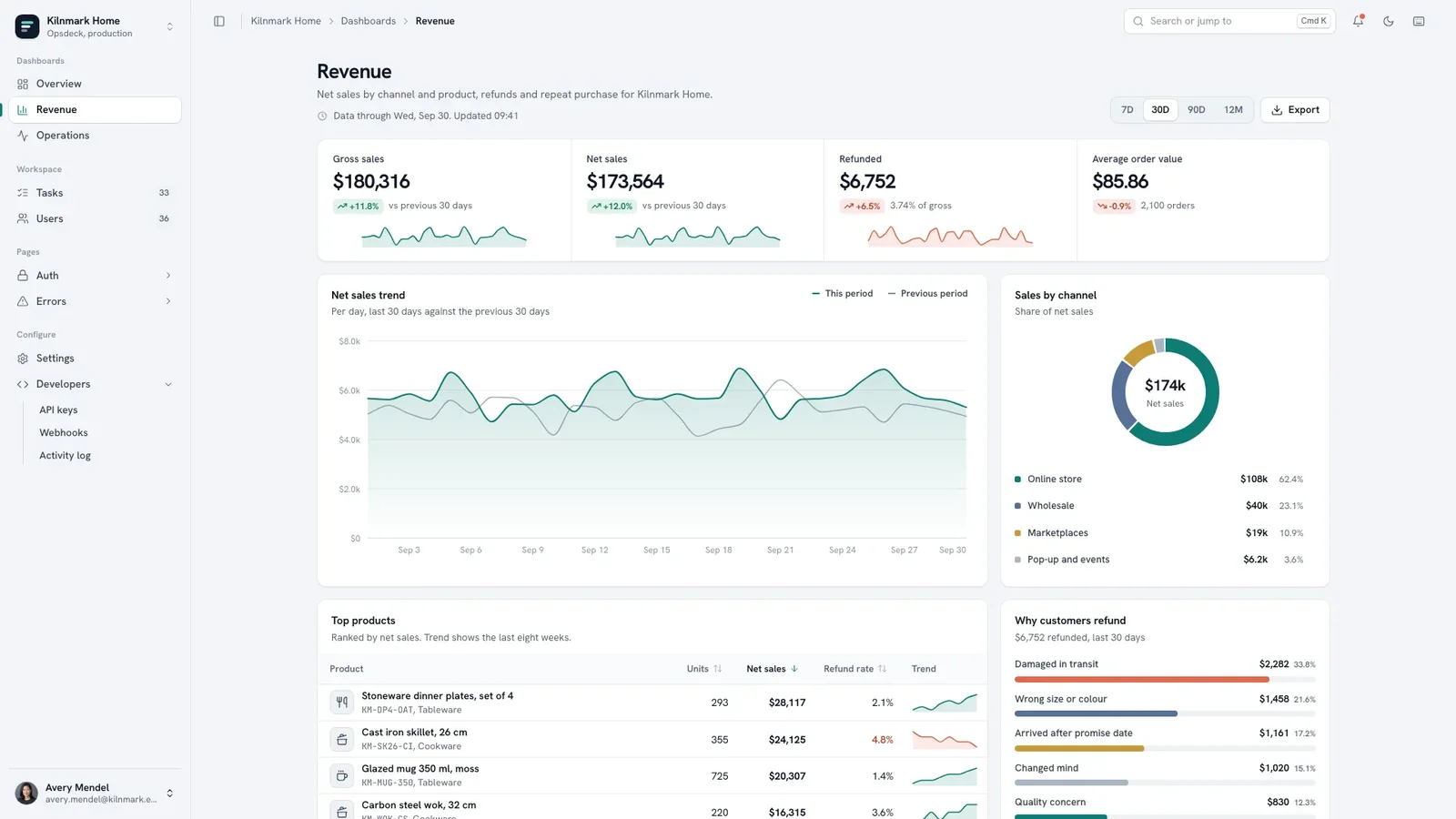


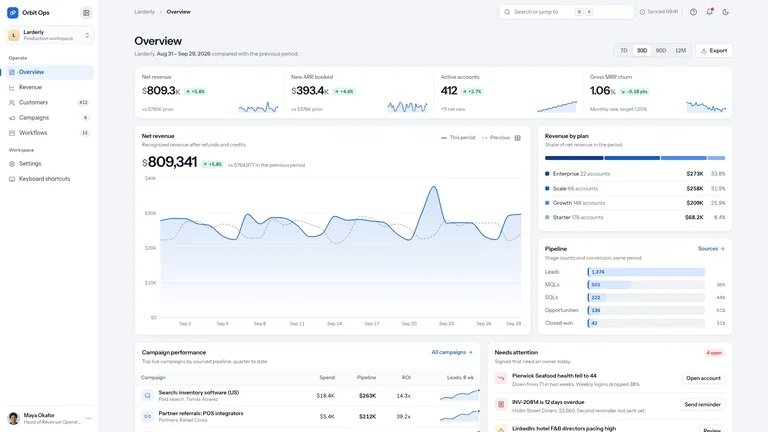
Preview gallery
About this Skill
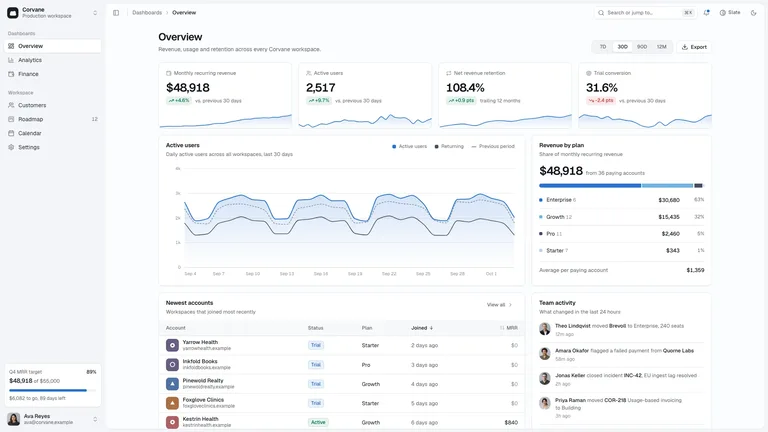
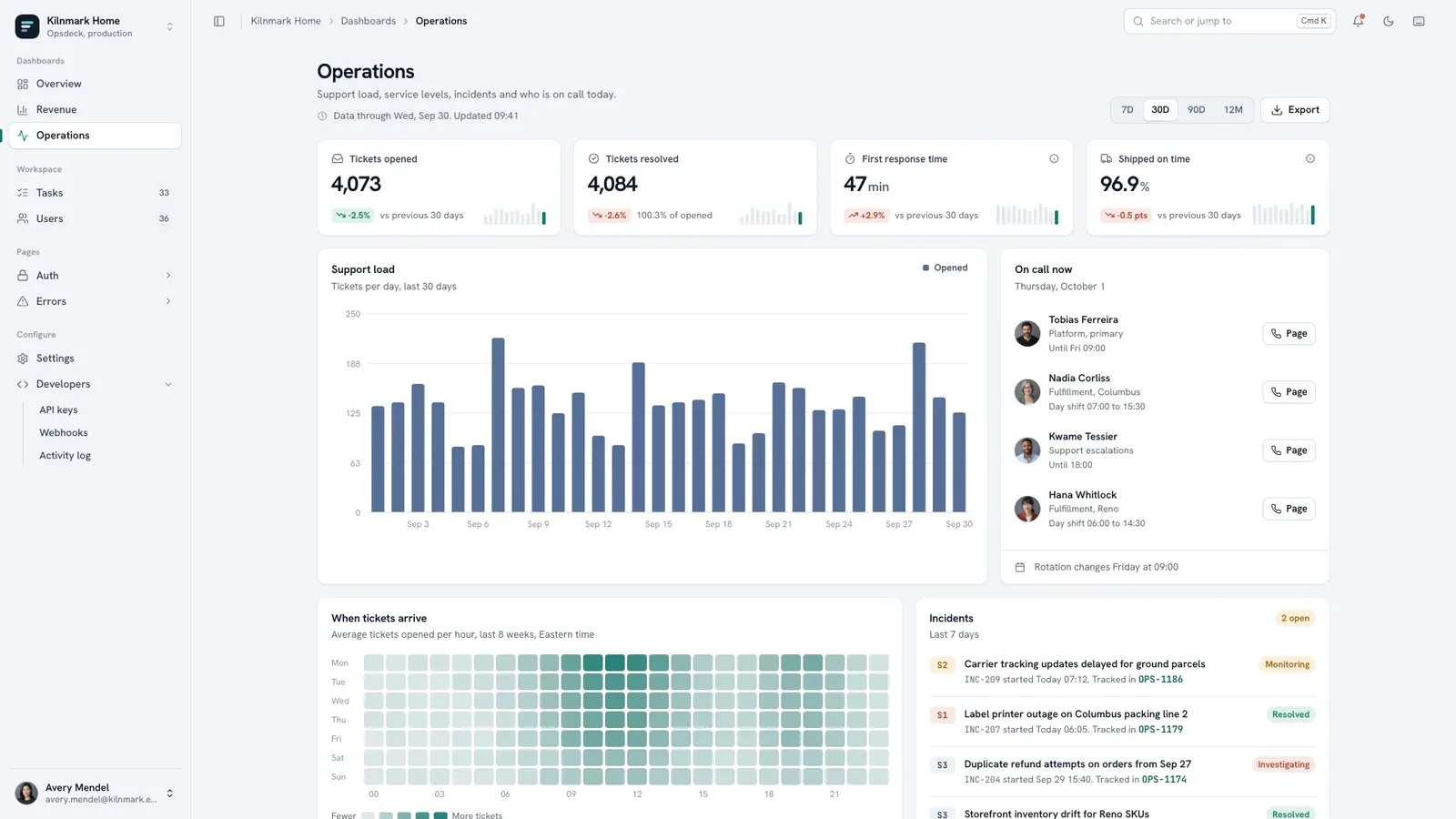
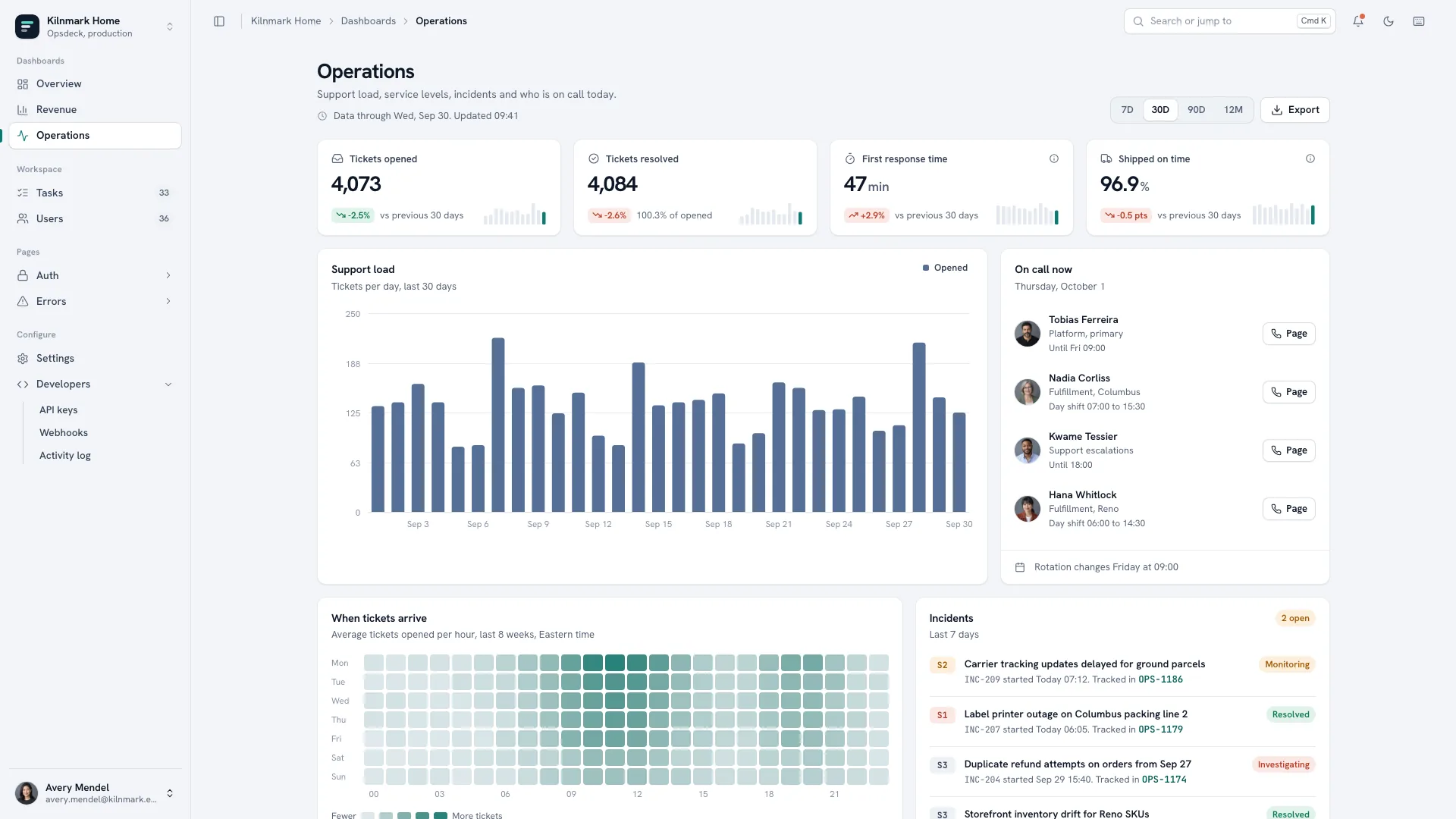
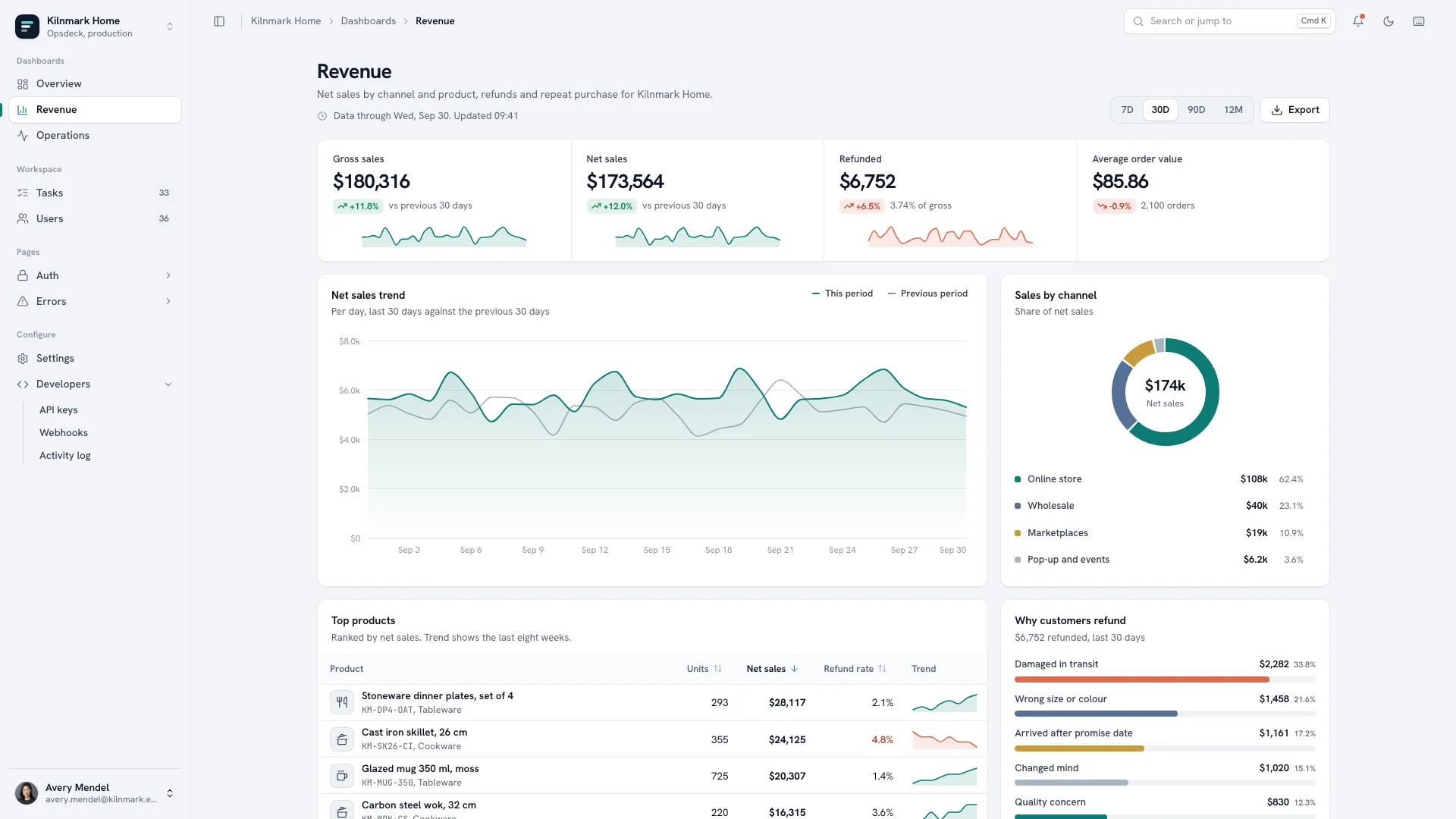
A calm, slate-toned back-office console your team could adopt as-is: a collapsible sidebar with workspace switcher, command palette and notifications, and Overview, Revenue and Operations boards whose KPIs and charts follow a date-range switch. Tables do real work with search, faceted filters, sorting, bulk actions and detail drawers, and the settings, developer, sign-in and error pages are designed, not stubbed. Light and dark themes are both complete.
Picked most often by
About this Skill
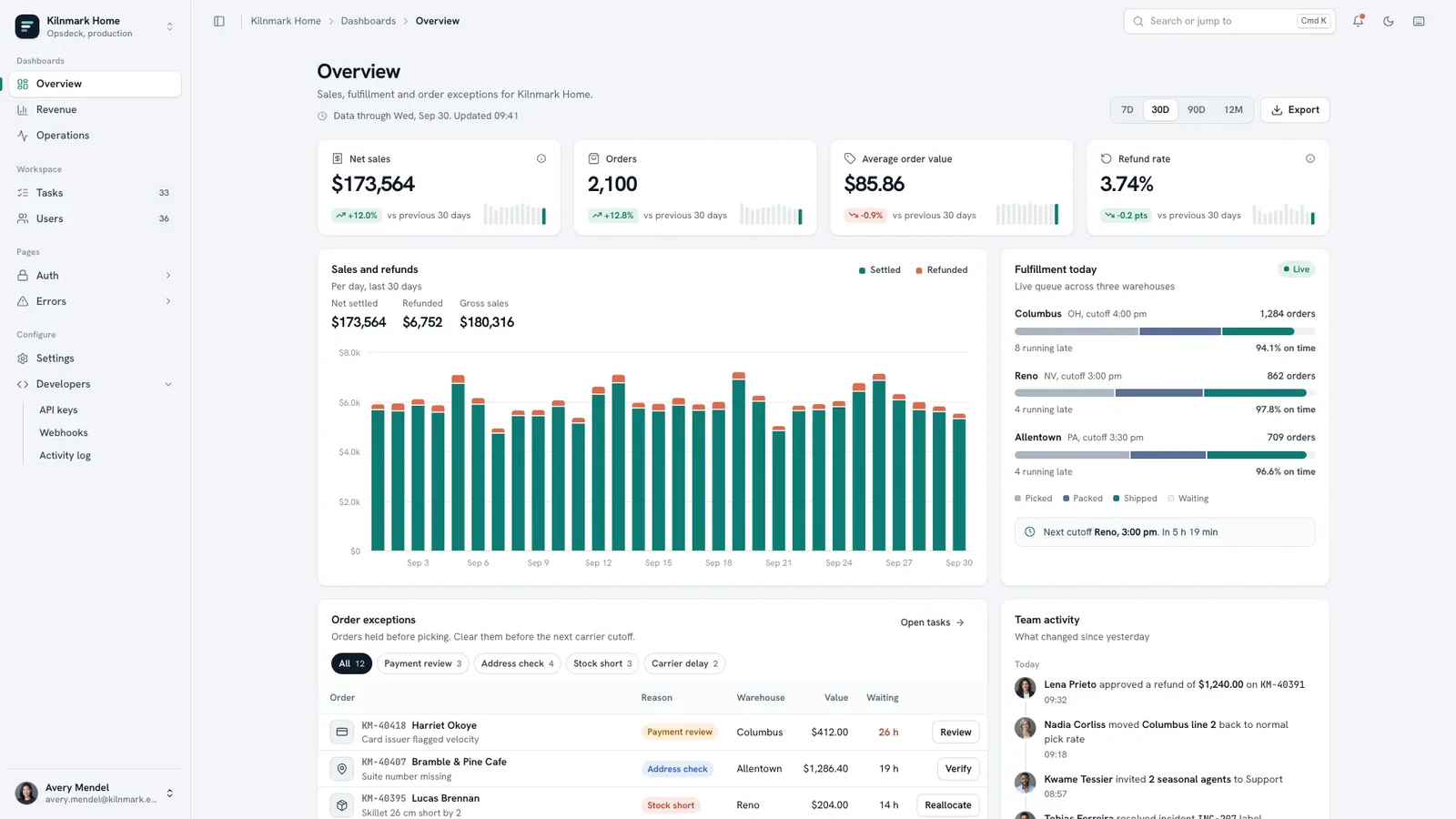
Tell it what your team operates and get back a calm, slate-toned admin console with real boards, working tables, and designed settings, developer, sign-in and error pages. It arrives as one self-contained file that opens in any browser and works offline.
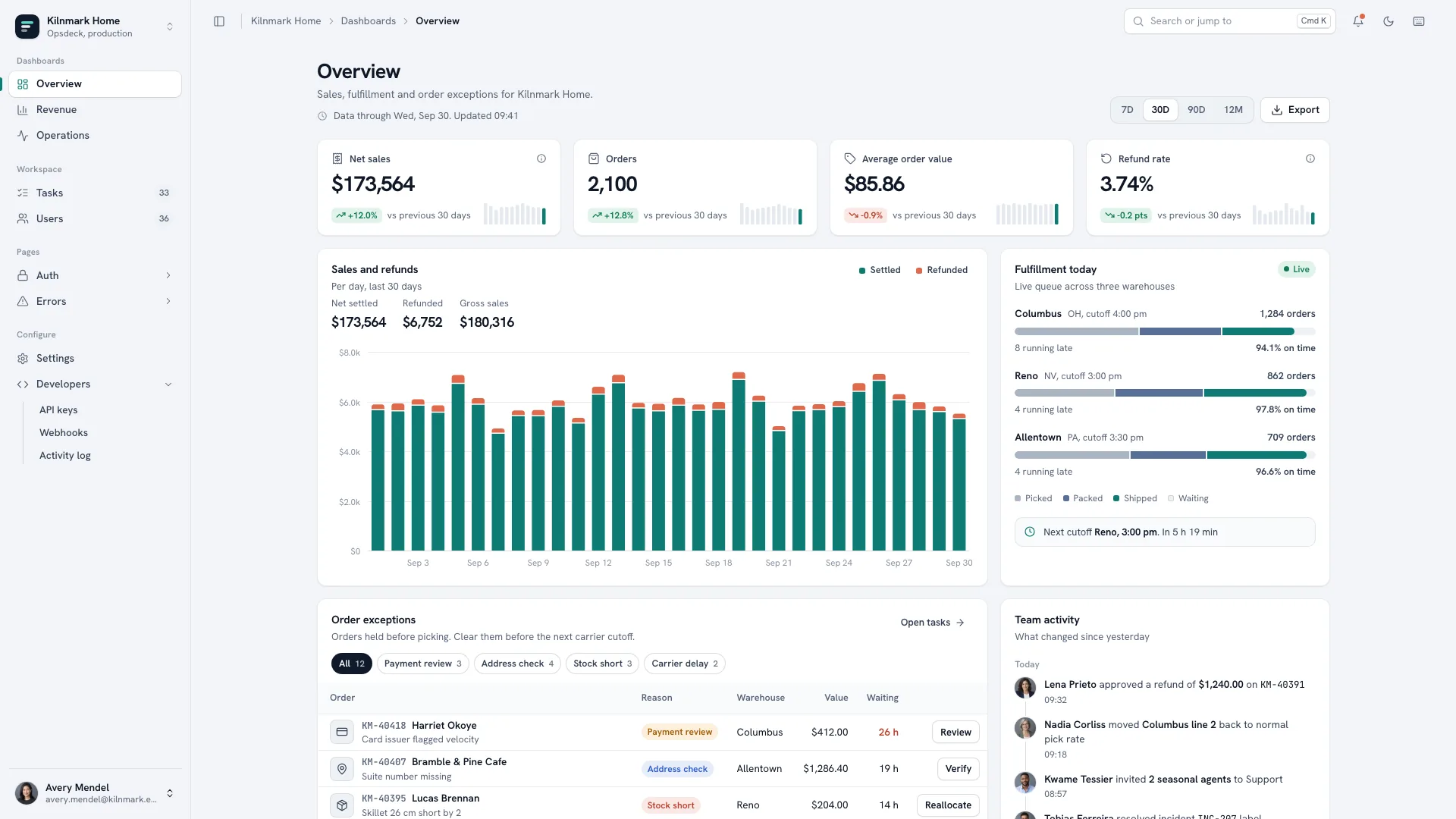
What you get
- A sidebar shell with workspace switcher, command palette, notifications and a mobile tab bar
- Overview, Revenue and Operations boards whose numbers and charts update together when you switch the date range
- Tables with search, faceted filters, sorting, pagination, bulk actions with Undo and detail drawers
- Six settings sections, API keys, webhooks, an activity log, sign-in, sign-up, reset and five error pages
- Complete light and dark themes; on request, the same console built in your own stack
How to use it
- Tell it your company, what the team operates, the four numbers each board should lead with, and the objects your tables hold
- It rebrands the shell and fills every board and table with believable data in your own nouns, IDs and currency, listing anything it drafted
- Open the finished file in your browser, walk one table end to end, and ask for new views or renamed screens in plain words
Team portraits are the only photos; a new set generated with your agent's image tool may carry that tool's usage charges, or initials are used instead.
What you need before you start
- You bring
- Company and product name, and what the team operates (orders, tickets, bookings or subscriptions) · The four headline numbers per board, the table objects with their statuses, and the teams and roles · Optional: logo, team portraits and the integrations you use
- Dependencies
- Node.js 18 or newer on your agent's machine, to run the bundled script that builds the single offline file · Internet access while the file is built, so the fonts can be downloaded once and embedded · Optional: an image generation tool in your agent for a new set of team portraits
- Outside costs
- Only team portraits are photos. A new set generated with your agent's own image tool may incur that tool's usage charges; otherwise the nine bundled fictional headshots can stand in, or everyone uses initials.
- Last tested
- v1.0.4 — Claude Code / Claude Desktop / Cowork / Codex / ChatGPT
What you get
- A complete admin console in one self-contained HTML file that works offline: three boards, task and member tables, six settings sections, developer pages, auth screens and error pages
- Boards with four KPIs each, charts with hover and keyboard tooltips, and 7D, 30D, 90D and 12M ranges driven by one seeded data series, so every number stays consistent
- Tables with search, faceted filters, sorting, pagination, bulk actions with Undo and deep-linked detail drawers; on request, a port into Next.js, React, Vue, Svelte or Astro
Good fit
- Operations teams that need an internal console for orders, tickets, bookings or subscriptions without designing one from scratch
- Founders and product teams preparing a realistic back-office demo or internal tool prototype
- Developers who want one consistent shell to rebrand now and later wire table by table to their own API
Not for
- Anyone expecting a backend: every screen runs on local sample data, with no database, auth provider or API included
- Customer-facing marketing sites or storefronts
- Teams that need a CMS-driven or multi-language product out of the box
Product Launch & App GrowthWeb Design & Digital ExperiencesBuild Website PageScaffold Web TemplateBuild Admin DashboardStyle-lockedEditable OutputFast TurnaroundDense Data TablesLight Dark ParitySidebar ShellSlate NeutralStat Card GridNeutral Admin Surface
User reviews
Loading reviews…